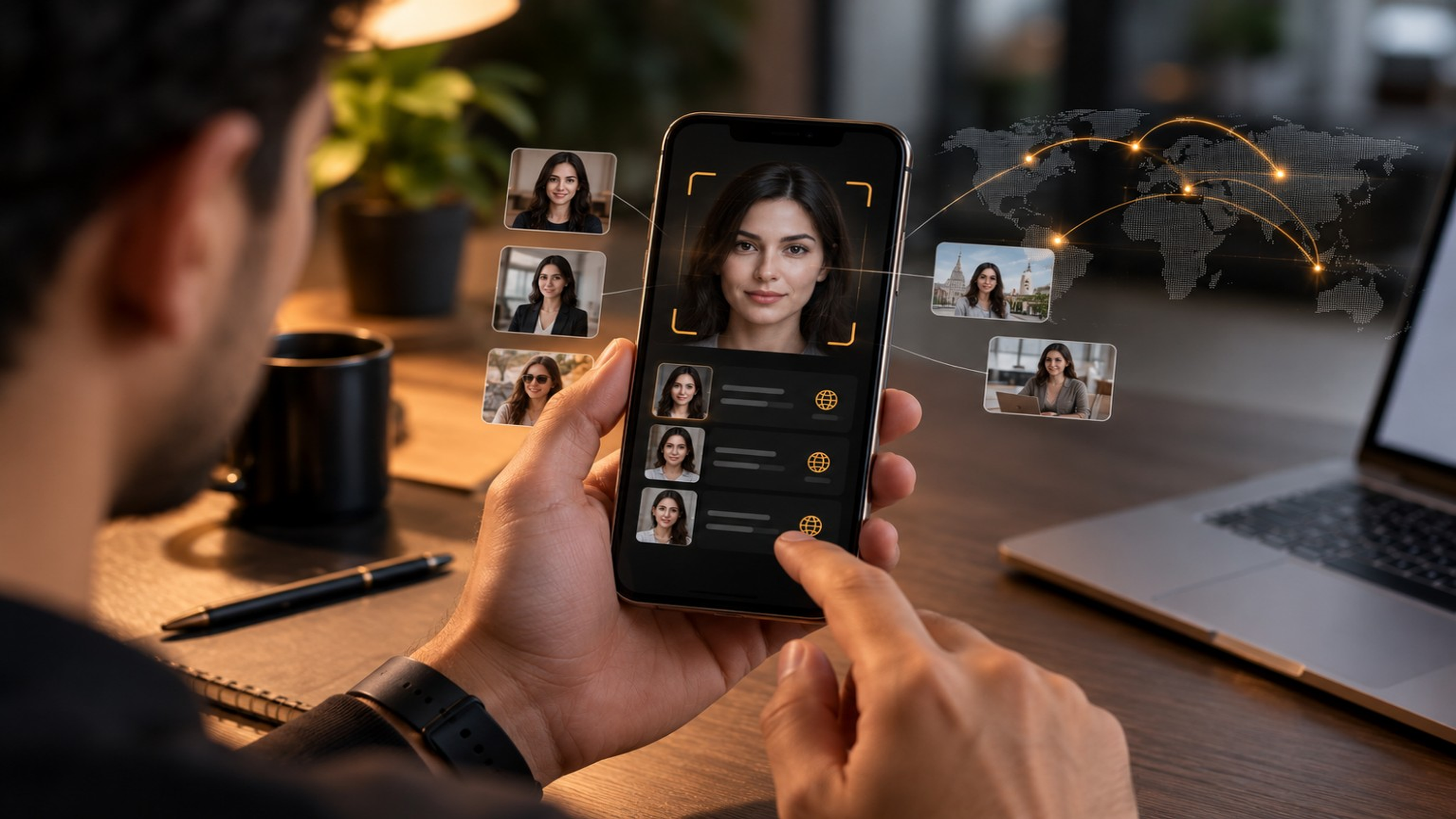
Reverse face search lets you search the internet using a person's face instead of typing text. You upload a photo, and the tool compares the face with publicly available images to find similar matches and where those images appear.
Introduction
Have you ever seen a photo online and wondered who the person is or where the image came from? Maybe you found a profile picture on a dating app that looked too good to be true. Or perhaps you wanted to check if someone was using your photos without your permission. This is where reverse face search can help. Instead of searching with words, reverse face search lets you search using a person's face. It looks for similar images across the internet and shows where that face appears. In this guide, you'll learn:
What You'll Learn About Reverse Face Search
| 1. | What reverse face search is |
|---|---|
| 2. | How it works |
| 3. | When you should use it |
| 4. | Its limitations |
| 5. | How FaceGPT can help you search quickly |
What Is Reverse Face Search?
Reverse face search is a way to search the internet using a person's face instead of typing text. You simply upload a photo, and the tool compares the face with images available online. If it finds similar matches, it shows you where those images appear. Think of it like this: Instead of typing: "woman with blue eyes" you upload the person's photo, and the search tool looks for similar faces. This makes searching faster and more accurate when you already have an image.
How Does Reverse Face Search Work?
When you upload a photo, the search process usually follows these steps:
- The face in the image is detected.
- Important facial features are analyzed.
- The system compares those features with publicly available images.
- Similar matches are displayed along with their sources, if available.
The entire process usually takes only a few seconds.
When Should You Use Reverse Face Search?
Reverse face search can be useful in many everyday situations. Check if your photos are being used elsewhere : Sometimes people copy profile pictures without permission. A reverse face search may help you find where your image appears publicly. Verify online profiles : If you're talking to someone online, searching their profile photo may help you learn whether that same image appears on multiple public websites. Keep in mind that finding the same image elsewhere doesn't by itself prove the profile is fake. Find the original source of an image : Photos are often reposted many times. Reverse face search can help you locate earlier or original sources. Research public figures : Journalists, researchers, and content creators may use reverse face search to locate publicly available images of well-known people.
Benefits of Reverse Face Search
Some advantages include:
- Search using only a photo
- Discover visually similar images
- Find public webpages where an image appears
- Save time compared with manual searching
- Learn more about the public use of an image
Can Reverse Face Search Find Every Photo?
There are some important limitations:
- Images that aren't publicly accessible usually can't be found.
- Private social media accounts typically aren't searchable.
- Low-quality or blurry photos may produce fewer matches.
- Results depend on what is publicly available online.
Because of this, reverse face search is a helpful research tool, but it doesn't guarantee a match for every image.
Tips for Better Results
To improve your chances of finding useful matches:
- Use a clear, high-resolution photo.
- Choose an image where the face is visible.
- Avoid heavy filters or stickers
- Crop the image so the face is the main focus.
- Try different photos if your first search doesn't return useful results.
How FaceGPT Helps
FaceGPT makes reverse face search simple. With FaceGPT, you can:
- Upload a face photo in seconds.
- Search for visually similar images.
- View matching public webpages when available.
- Get results through an easy-to-use interface.
Whether you're researching an image, checking where a public photo appears, or verifying online content, FaceGPT helps you perform the search quickly.
- Is reverse face search free?
- Some tools offer free searches with limits, while others provide paid plans with additional features.
- Is reverse face search legal?
- In many places, searching publicly available images is legal. However, how you use the results matters. Always respect privacy, copyright, and local laws.
- Can reverse face search identify someone?
- Reverse face search finds visually similar public images. It does not reliably identify a person or confirm their identity
- Does it work on social media?
- It may find publicly accessible images from some websites, but private profiles and restricted content usually won't appear in the results.
- Can I use reverse face search on my phone?
- Yes. Many reverse face search tools, including FaceGPT, work on mobile devices.
Conclusion
Reverse face search is a useful way to explore where a photo appears online. It can help you locate similar public images, find original sources, and research online content more efficiently. While no tool can guarantee a match for every image, using a clear photo and understanding the technology's limitations can improve your results. If you want a simple way to search by face, FaceGPT provides an easy way to upload an image and discover publicly available matches.
- reverse face search
- face search
- reverse image search
- FaceGPT
- AI face search
- facial image search
- image search
- visual search
- online image search
- privacy
- image verification
- profile verification
- find similar images
- public image search
- AI tools
- facial recognition technology
We build the face search pipeline behind FaceGPT — detection, embeddings, and the index that serves them in under a second.

